Installing Proxmox VE 8.x on ARM64 (NanoPi R5s)


This little journey started the night before Thanksgiving as we were packing for a long-ago planned trip to Japan.
As is my usual wont, I found myself puttering around restlessly with the HomeLab trying to eek out a little bit more from the little bits of hardware I had accumulated since my most recent personal research project. The PCIe board for the Coral Dual Edge TPU had arrived but my previous attempt at installing it was hijacked when I accidentally ended up shutting down my Proxmox VE node that was hosting several of my Docker projects – including about one(1)-TB worth of OpenCTI metadata that hadn't had time to settle and get written correctly to disk. How was I to know that the hardware backplane on the Dell R720xd it was hosted on was going to bork and make my ZFS cluster disappear into the ether?
That unfortunate incident wasn't all too bad. At this point having all that data just happened to be not as critical or immediately usable for work stuff and I'd already rebuilt the setup several ways enough that I've got a working project fork of OpenCTI to my own to help ease the recovery and deployment process. Then, too, I've been back to having my router, switches, and WiFi on physical machines such that my whole house network and its entertainment side of the equation are not affected. But, now, I did have a pair of FriendlyELEC NanoPi R5s sitting cold and unused and just begging to be put back into use – not as FriendlyWrt travel routers but as Docker hosts. In fact, I mused, could I run an ARM64 version of Proxmox VE on these things?
The bigger plan, of course, was if it would also be viable to to install Proxmox VE onto a high performance AArch64/ARM64 server and see compute gains on something like Apple Silicon.
It started well enough. I was mildly surprised to know that on the latest 2024-10-16 firmware release it literally said "Added Proxmox VE system". What luck!
Per the instructions, I downloaded the latest Official image from the link and used the Flash Official OS to eMMC option via TF Card.
Further perusing lead me to the "Getting Started with Proxmox" page. I used balenaEtcher to write the file onto a 32-GB SDXC card (the multi-OS version takes up about 16GB decompressed), inserted it into the TF card slot and plugged-in the power brick. And then watched from the old spare monitor connected via HDMI as the system kept booting into a loop-cycle for a few hours before I gave up, powered the whole thing down, took a nap, then left for the airport to Japan.
Returning from Nara then Osaka via Haneda to the Narita airport a few days ago, I suddenly wondered if the power brick that I'd used from the UniFi Flex Mini was the culprit. My assumption was that it provided 5V/2A but to my surprise it was actually only rated for 5V/1000mA and the boot loop immediately righted itself once I plugged in the power to an Anker Prime Power Bank. Basic TF to eMMC installation took less than a minute for each SBC, after that:
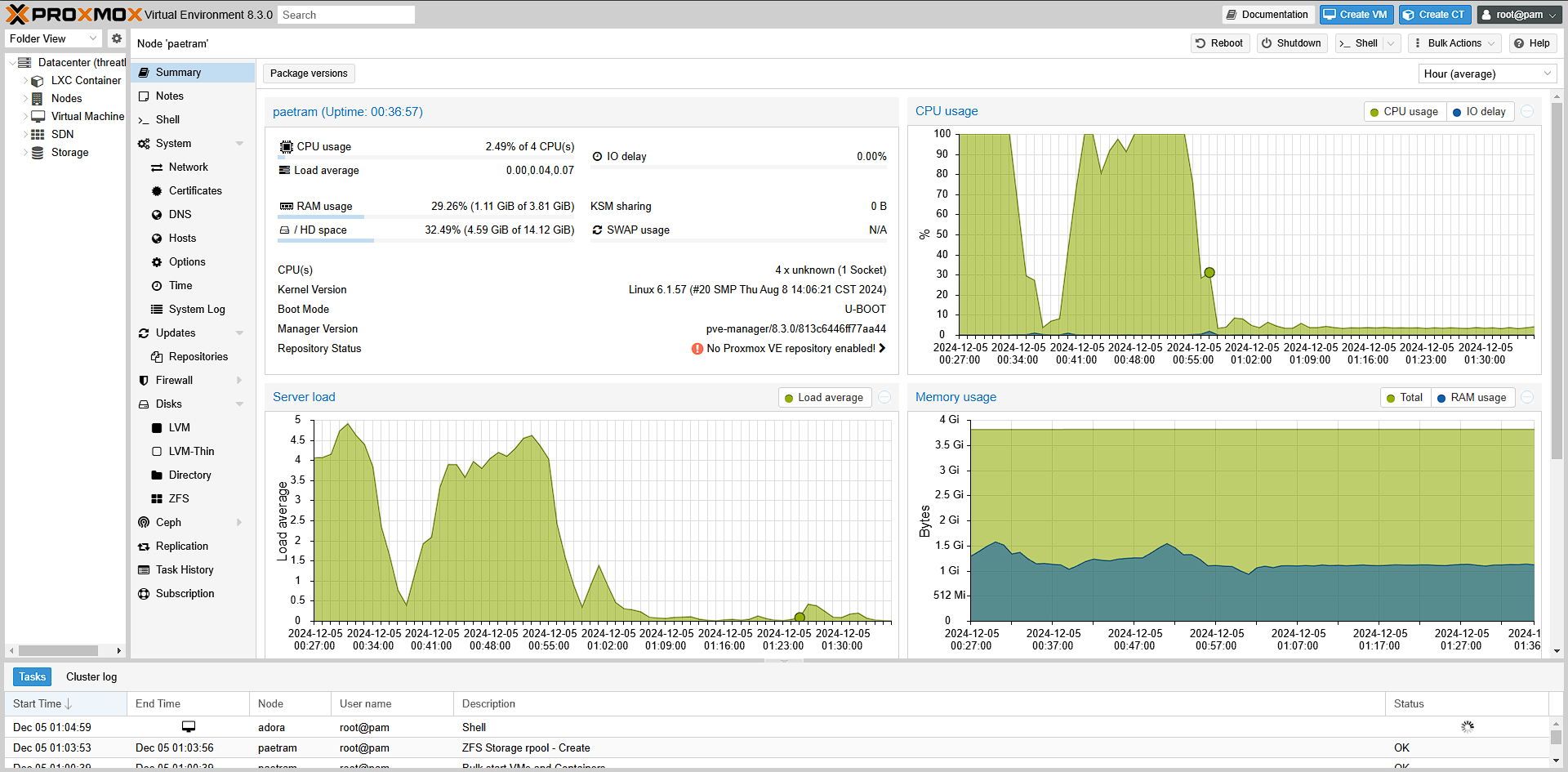
I made sure to add all the pve8 repos and do an initial update of everything to bring up the Proxmox VE version from 8.2.x to 8.3.0
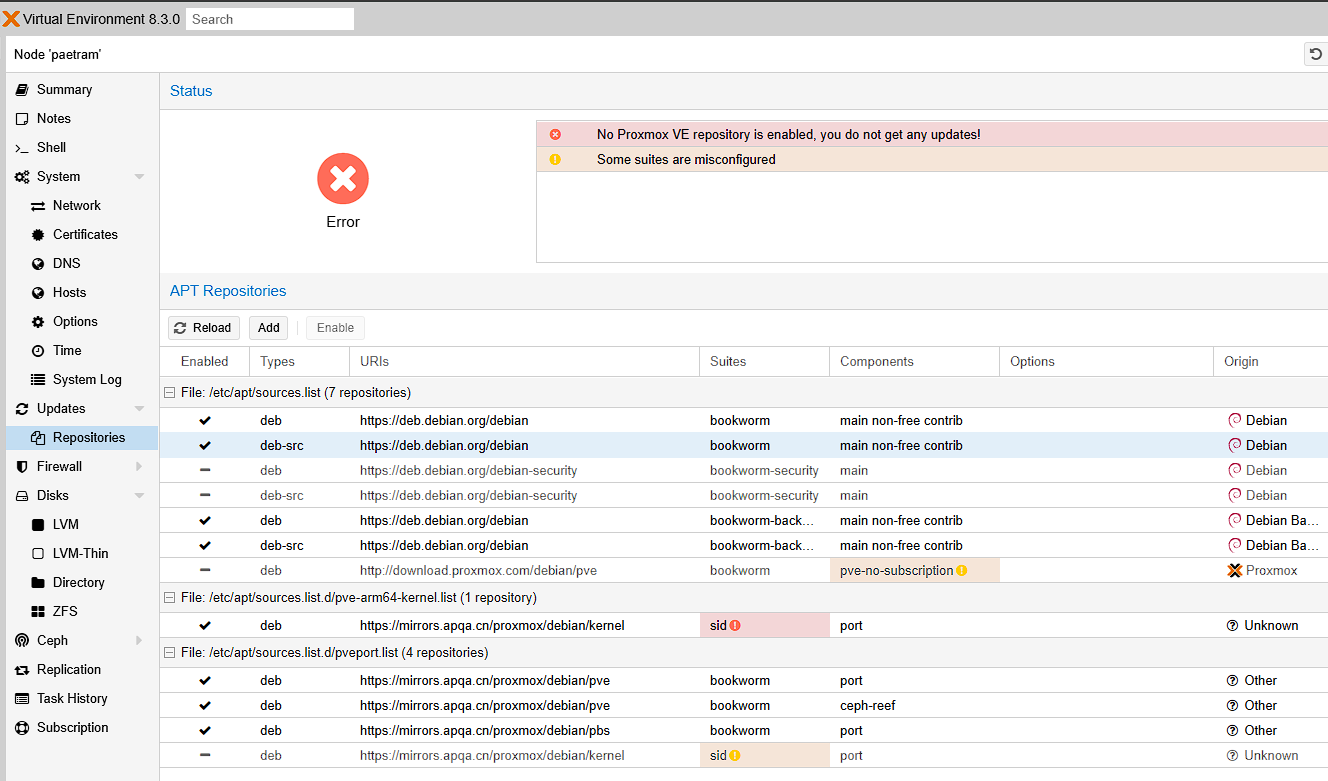
But, there's one other problem, I wanted ZFS. Thankfully, I was able to find the source of the Proxmox-Port that FriendlyELEC had used to build their image and it had part of the installation instructions.
In the case of the NanoPi R5s, I was able to find the header information and kernel that matched it from:
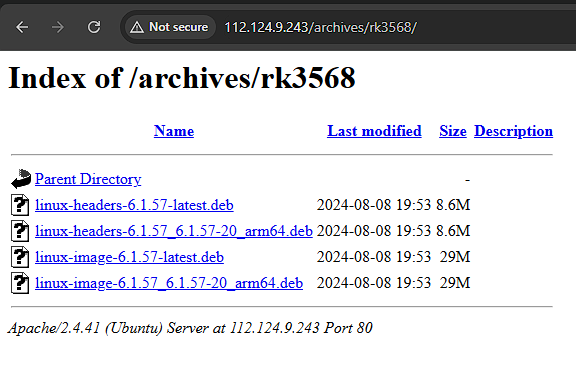
Here's that download:
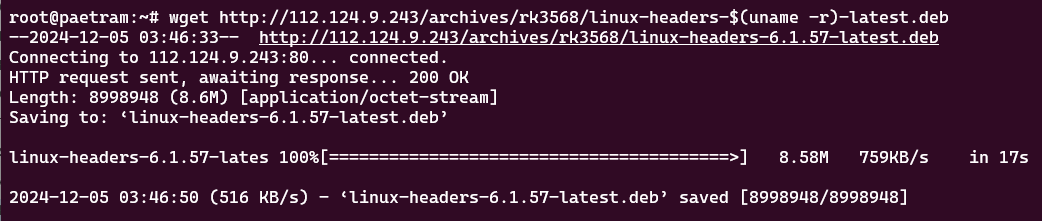
I gave it a go with just the headers, initially:
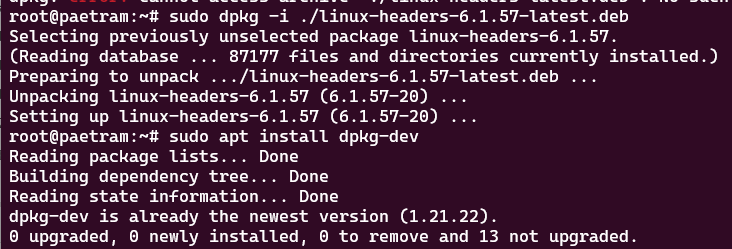
And discovered that ZFS wasn't loading:

Checking the available kernels, I noticed that 6.1.57 wasn't even one of the available options:
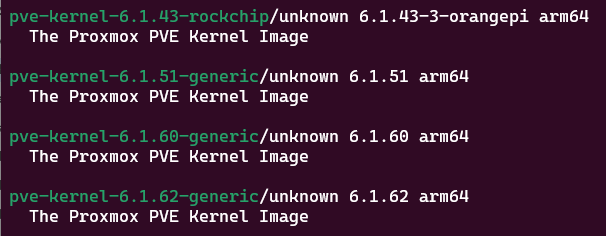
I'll save you some tinker time and say make sure to install the Linux kernel headers and images first. Then, reconfigure zfs-dkms for good measure, and then reboot:
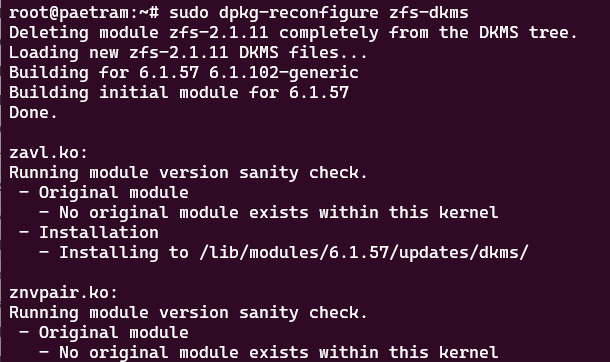
And, now this error which was sort of weird:

This didn't fix things all the way and I found a reference to try and do a dkms autoinstall which would help bake-in the missing ZFS modules into the kernel. I tried two-(2) different approaches to see which sequence works best but in the end they both worked.
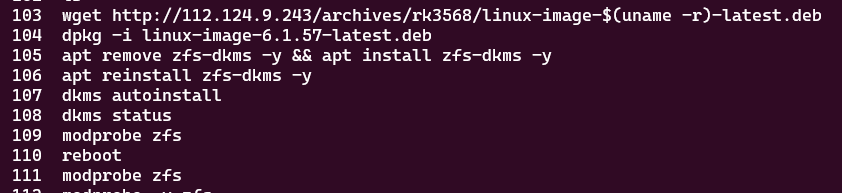
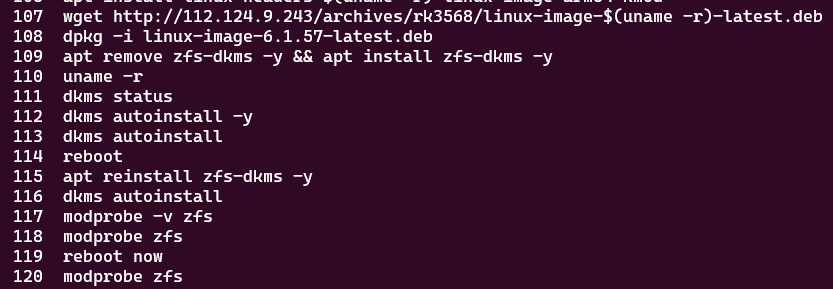
And profit!

Once the ZFS pool(s) are created to your liking then you can try some of the tips and tricks to create dataset folders. Because we're dealing with ZFS, it is these dataset folders that you can map from the Proxmox VE Datacenter -> Storage options to contain whatever image types you prefer.
My initial impression based on a quick test, from a usability standpoint, its easier to create an ARM64 virtual machine inside a standard x86 host machine than the other way around. That may simply be due to the limitations of the SBC hardware that I have on hand.
So, in summary, this works thanks to the magic of Linux and hardware cross-compatibility, and all the hard work poured over this Proxmox VE fork. I'd really love to see it officially adopted and it might have even happened if large enough volume installs merited official developer support. As it is, Apple no longer makes servers; while Intel and AMD have finally caught-up to Qualcomm since I last wrote about it a few months ago.
If I do find an Apple Silicon to play around with, you can be sure I'm going to give this build another try and update y'all. Happy tinkering!